JavaScript Array includes: Check If an Element is in the Array

Summary: this tutorial introduces you the JavaScript Array includes() method that checks if an element is in an array.
Introduction to the JavaScript Array includes() method
When working with an array, you often want to check if the array contains an element. To do this, you use the indexOf() method as follows:
let numbers = [1,2,3];

if(numbers.indexOf(2) !== -1){

// process here

}
Code language: JavaScript (javascript)
The indexOf() method returns the index of the first occurrence of the element in the array. If the array doesn’t include the element, the indexOf() returns -1.
As you can see, the indexOf() method doesn’t really clearly state what it means. In addition, the indexOf() uses strict equality operator (===) for comparison, therefore, it doesn’t work with NaN as shown in the following example:
[NaN].indexOf(NaN); // -1Code language: JavaScript (javascript)
In this example, the array contains one element of NaN. However, the indexOf(NaN) returns -1.
To work around this, developers came up with a helper function, for example, Lodash provides the _.incudes() method that checks if a value is in the array.
ECMAScript 2016 standardized this functionality by providing the Array.prototype.includes() method.
The includes() method returns true if an array contains a given element; Otherwise, it returns false.
The following illustrates the syntax of the includes() method:
array.includes(element,fromIndex);Code language: CSS (css)
The includes() accepts two arguments:
- The first argument is the
elementthat can be searched. - The
fromIndexis the position in the array to which the search starts.
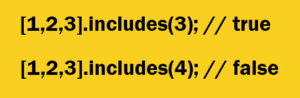
See the following example:
[1,2,3].includes(2); // true

[1,2,3].includes(4); // false

[1,2,3].includes(1,1); // false
Code language: JavaScript (javascript)
Unlike the indexOf() method, the includes() method works perfectly fine with the NaN:
[NaN].includes(NaN); // trueCode language: JavaScript (javascript)
Note that the includes() doesn’t distinguish between +0 and -0 as shown in the following example:
[-0].includes(+0); // trueCode language: JavaScript (javascript)
The following example demonstrates how to use the includes() method to check if an object is in an array.
let bmw = {name: 'BMW' },
toyota = { name: 'Toyota'},
ford = {name: 'Ford'}let cars = [ford, toyota];
console.log(cars.includes(ford)); // true
console.log(cars.includes(bmw)); // false
Code language: JavaScript (javascript)
In this example:
- First, we initialized the
carsarray with two objects:fordandtoyota. - Then, we used the
includes()method to check if thecarsarray contains thefordobject, in this case, it returns true. - Finally, the
bmwobject is not in thecarsarray, therefore, theincludes()method returnstrueas expected.
In this tutorial, you have learned how to use the JavaScript Array includes() method to check if an element is in an array.